


Carvana: Buy/Sell Used Cars
4.819.18K Reviews
App Specs
- Version
- 7.15.2
- Updated On
- License
- Free
- Downloads
- 1,000,000+
- Developer
- Carvana
- Categories
- Auto & Vehicles
- Platform
- Android, iOS
Screenshots
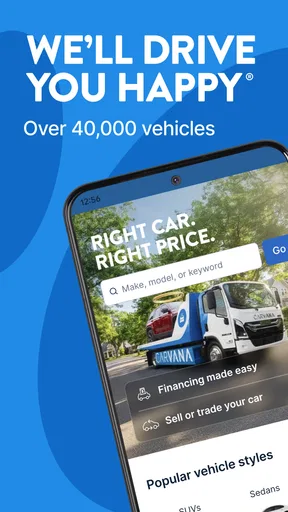
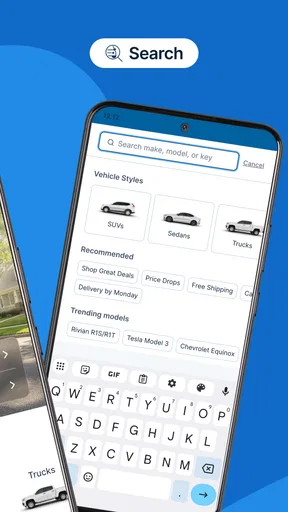
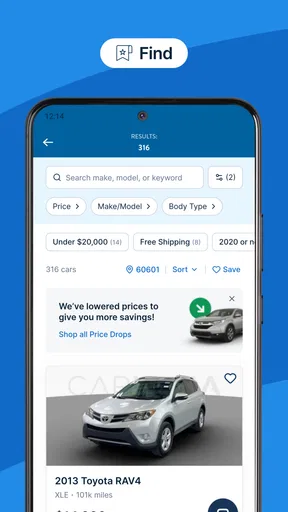
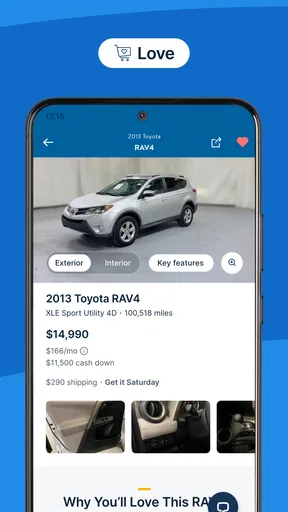
 Analysis by AppCompare
Hey there! So, I just took the Carvana: Buy/Sell Used Cars app for a spin, and let me tell you, it’s quite the ride. If you’ve ever found yourself dreading the thought of stepping into a car dealership, you might find this app to be your new best friend.
A calmer way to start a car search
I find this app most useful at the beginning of a search, when I’m still working out what kind of car fits my life and budget. Instead of driving from one lot to another, I can browse from home and narrow down the options before deciding which vehicles deserve closer attention. That convenience matters most when I’m comparing everyday choices, not when I already know the exact car I want and can buy it locally.
A practical approach is to decide on a few must-haves before scrolling: body style, space, and the features I genuinely use. Then I can treat the filters as a first pass rather than a verdict. A listing that misses one preference may still be worth a look if its photos and vehicle details answer the questions that matter. The trade-off is that easy browsing can turn into endless browsing, so I recommend setting a short list and returning to it after a break instead of treating every appealing option as a serious contender.
What to check before getting attached
The photos and vehicle-history information help me screen listings, but they are only part of the decision. I’d use them to identify questions, not to assume that a car is perfect. Before committing, I would compare the details shown in the listing with my own needs: passenger and cargo space, expected daily use, and whether the vehicle’s condition makes sense for the way I plan to drive it. The 360-degree views are useful for looking around the car, though no set of images replaces checking the actual vehicle during the return period.
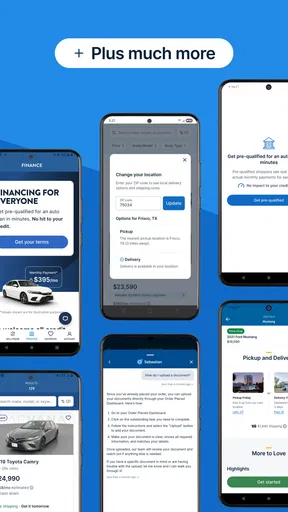
Financing is another point where I would slow down. Seeing options in the buying flow is convenient, but I’d still compare the total cost and terms with my own budget rather than focusing only on a payment that feels manageable. If I’m also selling a car, I’d keep the sale and purchase decisions separate in my notes. That makes it easier to judge the purchase on its own merits instead of letting the convenience of one transaction push me into the other.
Where it fits among car-shopping options
Compared with visiting traditional dealerships, the app makes browsing and reviewing a potential purchase more private and flexible. I can look without having to begin a conversation with a salesperson, and the listed price removes the familiar back-and-forth negotiation. That is a real advantage if I dislike pressure or need to research around work and family commitments.
It is not automatically better than every alternative. A nearby dealer or private seller may suit someone who wants to inspect several cars in person before deciding, has a specific model in mind, or prefers to negotiate face to face. Local shopping can also make it easier to compare a car with another one on the same afternoon. I see Carvana as a strong option for people who value remote browsing and a guided digital process, rather than a universal replacement for seeing and discussing a car locally.
Worth Reading Before You Choose

EA SPORTS FC Mobile 26 Is a Bigger Football Game, but It Takes Time

Flipboard Shows What News Apps Must Do Beyond the Feed

Switching to Android Auto Means Rethinking Your Driving Routine

Google Calendar Makes a Crowded Week Easier to Manage

Ludo King Makes the Most of the Minutes Between Plans

Baby Panda World Brings Quick Play to Modern Phones, but Its Game Library Feels Busy
A realistic routine for using it well
Imagine I’m replacing a car that has become unreliable, but I still need it for school runs and commuting. I’d use a quiet evening to set a realistic budget and make a shortlist, then review the photos and history details for each candidate. The next day, I’d revisit only the strongest options with a clearer head, check the financing carefully, and make sure the car’s size and everyday practicality match what I need. This repeatable routine prevents a polished listing or an appealing photo from making the decision for me.
If I’m selling at the same time, I’d request an offer early enough to understand how it affects my plans, but I wouldn’t assume that accepting an offer and choosing a replacement have to happen as one decision. The app’s selling flow can reduce the effort of arranging a sale, and pickup may be available after accepting an offer, but I’d still plan around when I need transportation. Convenience helps most when I have room to make each choice deliberately.
The Easiest Way to Browse
First off, let’s talk about the browsing experience. The interface is as smooth as a freshly waxed car. You can easily sift through thousands of cars with just a few swipes. The filters? Super handy. Whether you’re on the hunt for a sleek sedan or a rugged SUV, Carvana has got you covered. I spent hours just scrolling through options, and it’s surprisingly addictive.
Buying Made Simple
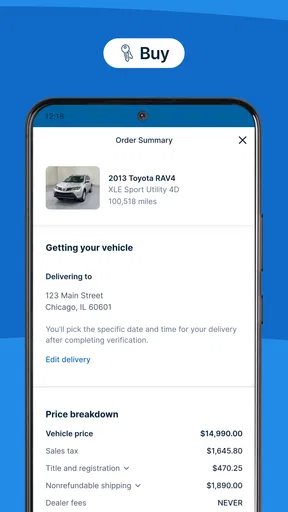
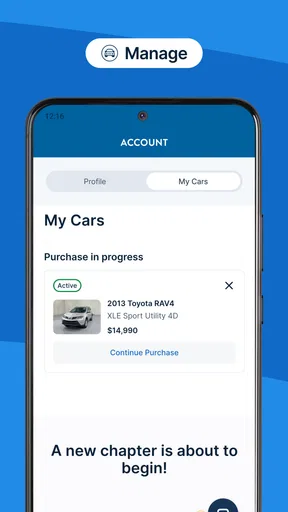
Now, when it comes to buying, the app makes it feel like a breeze. No more haggling or awkward negotiations with salespeople. You can see the price, financing options, and even get a detailed report on the vehicle’s history. Plus, the 360-degree views and detailed photos make you feel like you’re right there with the car. It’s almost too easy to click that ‘Buy’ button.
Sell Your Car with Ease
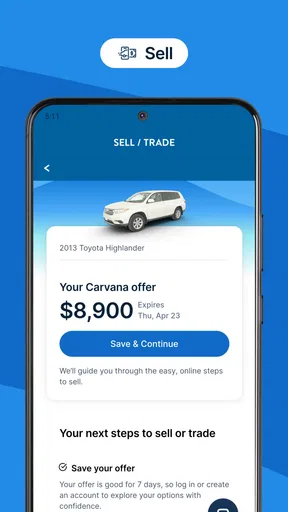
Thinking of selling? The app’s got a nifty feature for that too. You can get an instant offer on your car, and if you accept it, they’ll even pick it up from your place. Talk about convenience! It’s all done with transparency, and you won’t have to deal with any of the usual stressors of selling a car.
Delivery and Returns
Once you’ve made a purchase, you’ll probably start counting the days until your new ride shows up. Carvana delivers straight to your door, and if you’re not happy with it, there’s a 7-day return policy. It’s like a test drive on your terms. I mean, who doesn’t love a good return policy?
Who will get the most from it
I’d recommend trying it if you’re comfortable researching a car on your phone and want to avoid beginning your search at a dealership. It is especially handy for people who have a broad idea of what they need but want to compare candidates at their own pace. The experience also suits sellers who would rather explore a direct offer than organize a private listing and manage conversations with potential buyers.
I’d be more cautious if I need to inspect a car in person before I can form an opinion, or if I want to test several specific models before choosing. The digital presentation can make shortlisting easier, but it cannot remove the personal preference involved in how a car feels to drive. In that situation, I’d use the app to research options and then consider local alternatives that let me see vehicles directly.
Small habits that make the process smoother
One useful habit is to keep a short comparison note outside the browsing session: what I like about each car, what still concerns me, and which details I need to revisit. That avoids relying on memory after looking through multiple listings. I’d also pause before placing an order, re-read the vehicle information, and check that the financing choice still fits my budget. Since the app makes it easy to move from browsing toward buying, a deliberate final review is more useful than another hour of scrolling.
For a sale, I’d gather the information I need about my own car before starting the offer process and think through the practical handoff in advance. An offer is only useful if the timing works for me and I understand what accepting it means for my transportation plans. These are not complicated steps, but they help keep a convenient app from turning a quick decision into a rushed one.
Limits worth keeping in mind
The app’s main strength is also its boundary: it brings a lot of the process onto a screen. Photos, vehicle-history details, displayed prices, and financing options help me make progress, but they do not replace careful judgment. I would not treat a detailed listing as a promise that every car will suit me, nor assume that an appealing offer settles whether selling is the right move. The return period offers a way to reconsider a purchase, but it is still better to make a thoughtful choice before ordering than to depend on changing my mind afterward.
Carvana is free to download, and it is an Auto & Vehicles app from Carvana. It has an Everyone content rating, an average rating of 4.8 from around 73,000 ratings, and more than 1 million installs. The app first appeared on January 10, 2018, and version 6.54.0 requires iOS 11 or later. Those details make it easy to understand what kind of app it is and whether the device requirement fits, but they do not tell me whether a particular car or transaction is right for my situation.
Conclusion
All in all, the Carvana: Buy/Sell Used Cars app is a game-changer in the world of car shopping. It takes the hassle out of buying and selling, and honestly, makes the whole process enjoyable. So, if you’re in the market for a car or thinking about selling yours, this app might just be the tool you need. Give it a whirl and see for yourself!
My more measured recommendation is to use it as a practical way to research, compare, and manage a purchase or sale without starting at a dealership. It works best when I bring a budget, a short list of needs, and enough patience to review each decision carefully. If I want the freedom to browse privately and handle much of the process digitally, I’d give it a try. If my priority is hands-on inspection and in-person comparison before I commit, I’d use a local option instead—or combine local research with the app rather than expecting one approach to cover everything.
Pros
- User-friendly interface makes browsing easy.
- Wide selection of cars available nationwide.
- 360-degree vehicle views enhance transparency.
- Delivery and pickup options for convenience.
- Financing options integrated seamlessly.
Cons
- Limited negotiation on car prices.
- Delivery fees may apply based on location.
- Trade-in offers can be lower than expected.
- No options for test-driving before purchase.
- Customer service response time varies.
FAQs for Carvana: Buy/Sell Used Cars
What features does Carvana offer for buying a used car?
Carvana provides a seamless online car buying experience with features like a 360-degree car viewing tool, detailed vehicle history reports, and a seven-day money-back guarantee. You can complete the entire purchase process online, including financing and trade-ins, and have the car delivered to your doorstep.
How does the car delivery process work with Carvana?
Once you purchase a car from Carvana, you can choose to have it delivered to your home or pick it up from a Carvana Vending Machine. Delivery is available in most areas, and you can schedule it at your convenience. The delivery includes a brief walkthrough of the car's features and paperwork completion.
What is Carvana's return policy?
Carvana offers a seven-day money-back guarantee on all car purchases. This allows you to test drive the vehicle and ensure it meets your expectations. If you decide the car isn't right for you, you can return it within seven days for a full refund, provided it’s in the same condition.
Is financing available through Carvana?
Yes, Carvana offers financing options directly through their platform. You can pre-qualify for a loan without affecting your credit score and explore various financing plans. Carvana partners with reputable lenders to provide competitive rates and flexible payment terms tailored to your financial situation.
How does Carvana handle trade-ins?
Carvana simplifies the trade-in process by allowing you to get an instant online quote for your current vehicle. If you accept the offer, Carvana will pick up your car at the time of delivery of your new purchase or you can drop it off at a Carvana location. The trade-in value can be applied directly to your purchase.


